

Coreframe Digital

Live client system

Floor Fitter Wales Admin

A private, phone-first admin system built for one flooring business and running on its own domain. It takes each website enquiry through job, invoice, warranty and review without a laptop.

Sector
Flooring supply & fitting
Used on
A phone, on site and in the van
Status
Live
The brief

One place for every job.

Before this, the website emailed each enquiry and stored nothing, so a missed email was a lost lead. The brief was a private system on the client's own domain that records every enquiry, turns it into a job, invoices it, registers the warranty and asks for the review, all from a phone.

The workflow

Five steps, in order.

  1. 01

    Enquiry

    Arrives from the website form as a record, with the email as the alert.

  2. 02

    Job

    Converted from the enquiry in one step, priced from the business's own services and rates.

  3. 03

    Invoice

    Raised through the client's own Stripe account, with payment status tracked on the job.

  4. 04

    Warranty

    Registered from the job screen once the work is finished.

  5. 05

    Review

    A Google review request queues after the job, with duplicates prevented.

The system

The front door.

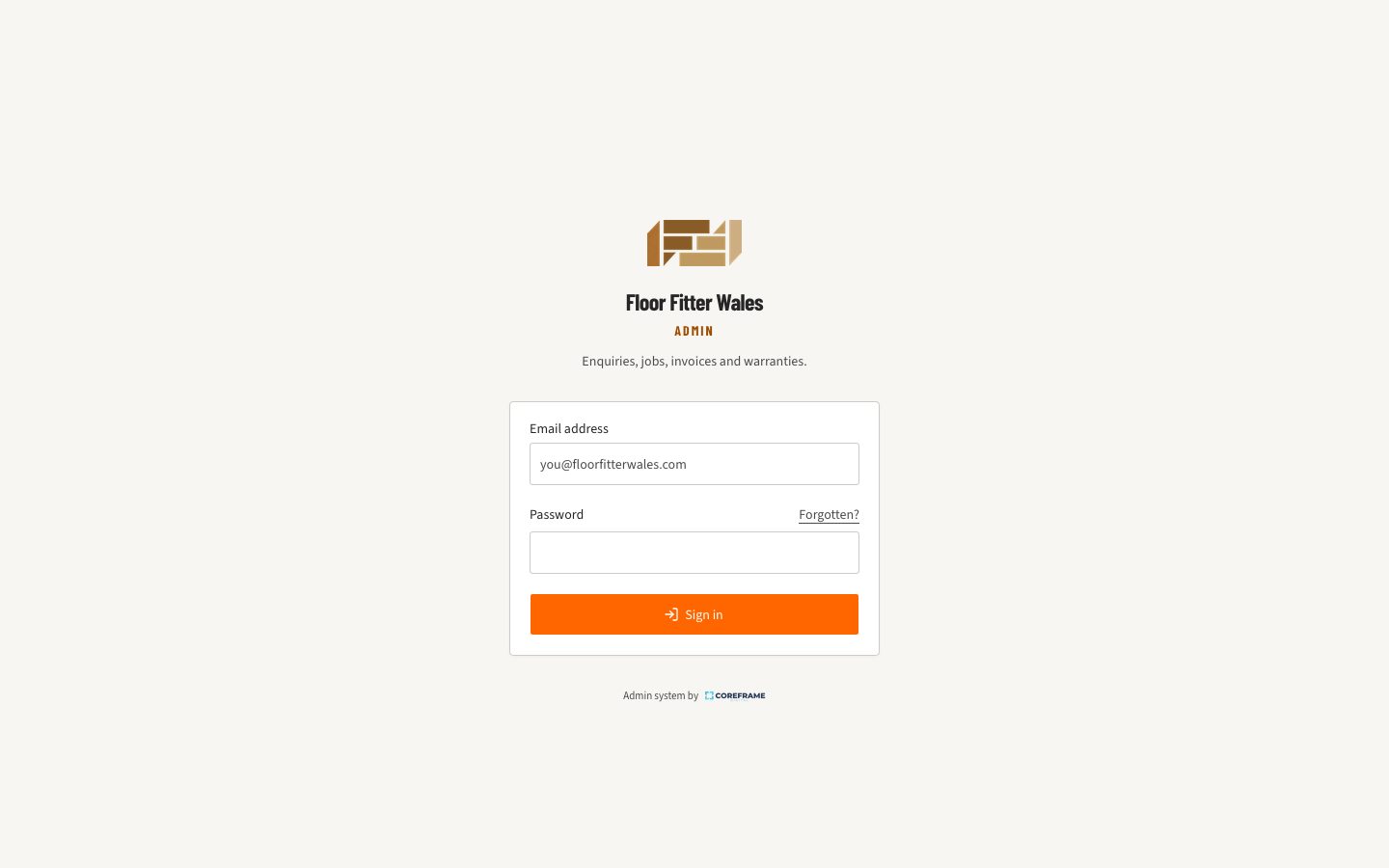
The sign-in screen is the only part of the live system shown as a real capture. Everything behind it holds real customers, so the screens below are drawn with example data.

floorfitterwales.com/admin
The sign-in screen of the Floor Fitter Wales admin system, carrying the client's own logo and colours
Sign-in, in the client's own brand, on the client's own domain
What it looks like

Four screens, and that is most of it.

Five tabs along the bottom, thumb height, because it gets used in the van and on site. It is a web app, so it installs on your home screen from the browser and there is nothing to download.

01 · TodayFour counts that each mean there is something to do, and the newest enquiries underneath. No charts.
02 · The jobPrice it by room, add extras or a discount, email the quote from the van. Directions and the customer's number are one tap away.
03 · The invoiceYour business details, your numbering, a card payment link. When the customer pays by card, it marks itself paid.
04 · ReviewsMark an invoice paid and a review request lines itself up. You decide who actually gets asked.

Shown with example data for a fictional business. Every real system carries its owner's own name, colours, prices and invoice numbering, which is why there are no screenshots of a client's account here.

The approach

Built around one person's day

The website is the intake

The public quote form on the website posts each submission into the system before the notification email goes out. The admin system is the record and the email is the alert, so nothing depends on an inbox.

Phone first, on purpose

Five tabs along the bottom at thumb height, 44 pixel tap targets throughout, and it installs to the home screen from the browser. It gets used one-handed on site, so the desktop view came second.

The client's own accounts

Invoices go through the client's existing Stripe account, which Coreframe connected and never holds funds in. Review requests point at the client's own Google listing.

Locked down for one user

There is exactly one account and no sign-up route. Every screen and action verifies the session on the server, and the database rejects anything that is not signed in.

Sections

TodayEnquiriesJobsCustomersInvoicesWarrantiesReviewsPrices

What was delivered

  • ✓Private login for one administrator, with no public sign-up route
  • ✓Runs at /admin on the client's own domain, so there is no separate address to remember
  • ✓Today screen: new enquiries, active jobs, invoices awaiting payment and reviews to ask for
  • ✓Website enquiries stored as records the moment they are sent
  • ✓Enquiry converted to a job in one step, with customer and job history kept
  • ✓Service and price list the client maintains, with agreed calculation rules
  • ✓Invoices through the client's existing Stripe account, with payment status tracking
  • ✓Warranty registration prefilled from the job
  • ✓Photo uploads on jobs
  • ✓Automated Google review request after completed jobs
  • ✓Installs to the phone home screen like an app, thumb-height navigation, no laptop needed

Want the same for your business?

This is the system behind the Quotes & Invoices service. It carries your name, colours, prices and invoice numbering, and it is yours to keep.

See the Quotes & Invoices service
Back to all work

Project intake open

Want your enquiries, jobs and invoices in one place?

Tell us what you need. We'll come back to you within one working day with an honest view of what we'd build and what it would cost.

  • Reply within one working day
  • Fixed, transparent pricing
  • No obligation or sales pressure
Get a free quote